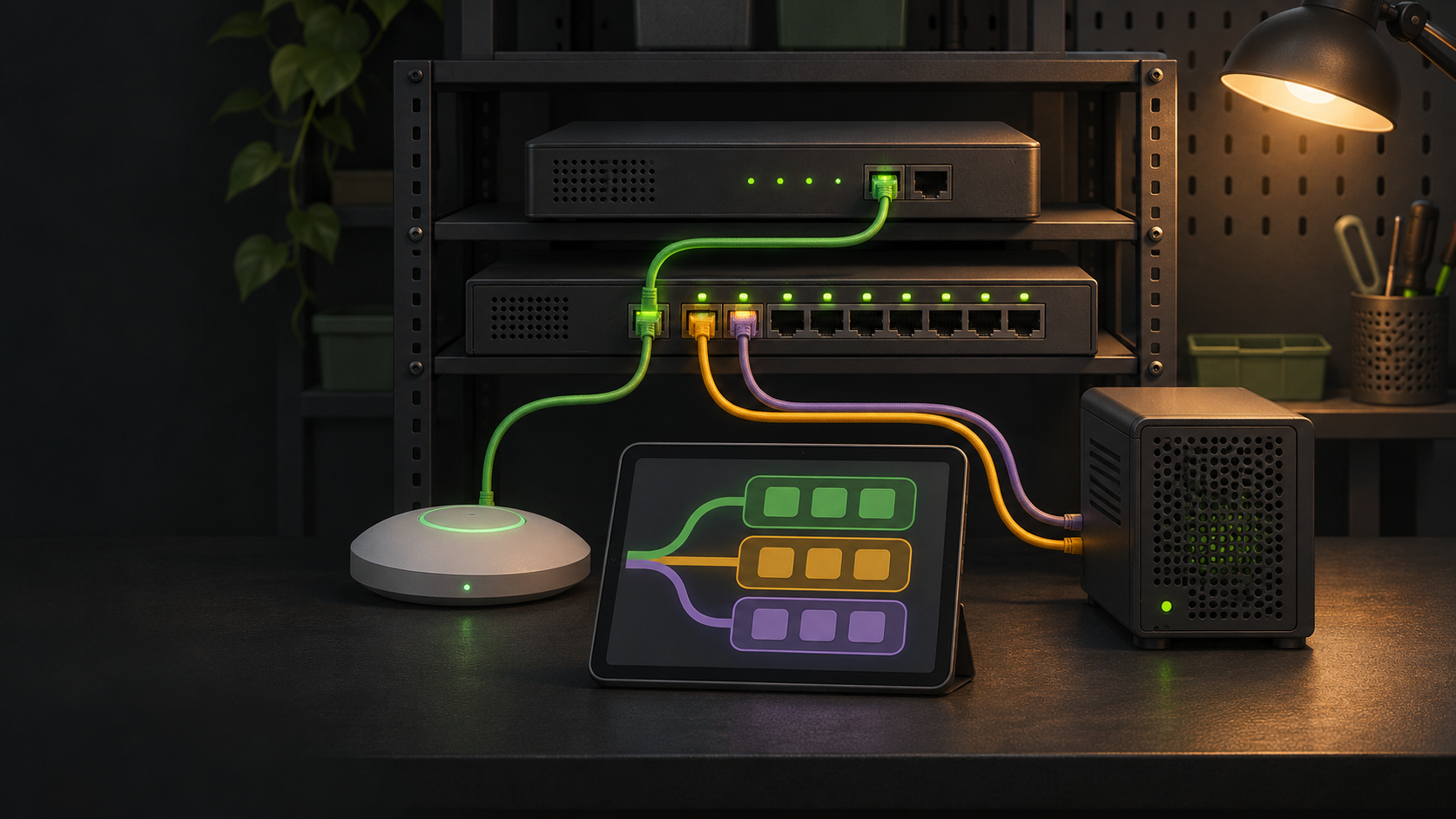
A VLAN record should let you trace one logical network from its purpose to every system that carries or controls it. A switch export alone cannot do that. The same VLAN may appear on a firewall interface, several trunks, an access point, a hypervisor bridge, and a DHCP service. If those records disagree, a routine change can strand clients or expose traffic to the wrong policy.
Use a small register as the source of truth, then link it to device configuration and test evidence. The register does not replace configuration backups. It explains the design well enough that a future change can be checked before it reaches the network.
Build one register around purpose and ownership
Create one row per VLAN, including reserved and retired entries. Begin with a stable name, VLAN ID, purpose, owner, lifecycle state, and last review date. Add the IP subnet, gateway, address-assignment method, DNS behavior, and the systems where the VLAN is defined. Keep secrets, private keys, and administrator passwords out of this record.
| Field group | Record | Why it matters |
|---|---|---|
| Identity | Name, VLAN ID, purpose, owner, state | Prevents an old number from being reused without context |
| Addressing | IPv4 and IPv6 prefixes, gateway, DHCP scope, DNS | Connects Layer 2 membership to client configuration |
| Transport | Native or tagged use, trunks, wireless networks, hypervisors | Shows where the VLAN must exist end to end |
| Policy | Required destinations, services, isolation, exceptions | Explains the traffic the firewall is expected to allow |
| Evidence | Configuration source, backup, test, review date | Makes the row auditable after a change |
Use names that describe function rather than a specific device. A name such as lab-management can remain useful when a switch is replaced. Record vendor-specific labels separately. One controller may call the same object a network, interface, zone, or virtual network. The VLAN ID is a shared identifier, not a complete description.
Choose an explicit state such as planned, active, restricted, retiring, or reserved. If a VLAN is removed, keep a dated retired row instead of immediately recycling its ID. That history helps explain old backups and firewall aliases. It also gives context to monitoring data and device configurations that still contain the number.
Trace the VLAN across every control point
For each active row, list the gateway or firewall interface, switch trunks, access ports or port profiles, wireless network, virtualization host, and any other system that tags or removes tags. Link the detailed physical port information to the existing home lab switch port map. The VLAN register should show logical reach. The port map should show the cable and local port.
Document the tagging behavior on every path. Cisco’s current trunk guide distinguishes a trunk’s native VLAN from its allowed VLAN list. It also notes that traffic matching the native VLAN is sent untagged while other permitted VLAN traffic is tagged. Record both settings instead of writing only “trunk.” On an ordinary endpoint port, record the untagged or access VLAN and confirm that dynamic trunking is not an accidental dependency.
Wireless and virtualization layers need the same treatment. Ubiquiti separates creation of a virtual network from assignment through switch ports, wireless networks, or other methods. Proxmox VE can apply a tag to a guest interface through a VLAN-aware Linux bridge. It can also provide a trunk that the guest handles or use other bridge arrangements. A row that says only “VLAN 30 on Proxmox” leaves the tagging boundary unclear.
A compact path statement is useful: gateway interface, switch uplink tagged, access-point uplink tagged, SSID mapped, client untagged. For a virtualized service, substitute the hypervisor bridge and guest interface. Add configuration references for each control point so the statement can be compared with running state.
Record addressing and dependent services
Layer 2 membership is only one part of a usable network. Record every IPv4 and IPv6 prefix assigned to the VLAN and the router address. Add the DHCP server or relay, dynamic pool boundaries, reservations, DNS servers, search domain, and any time or discovery services that clients require. Mark whether addresses are static, reserved, dynamic, or supplied by another system.
Netgate’s current pfSense documentation treats a VLAN interface like another optional interface. It must be enabled and configured. It then needs firewall rules and services such as DHCP when required. That is a useful documentation boundary. Creating the tag does not prove that clients can receive an address, resolve names, reach the gateway, or use an intended service.
Keep an address-management reference when the subnet has more than a few fixed systems. Avoid copying a long list of leases into the VLAN register. Instead, link to the maintained source and record important exclusions, infrastructure addresses, and reservations that affect recovery. Note overlapping prefixes and duplicate gateways as blocking errors before a proposed VLAN becomes active.
Connect segmentation to explicit policy
Write the expected traffic in terms that can be checked: source network, destination, protocol, destination port or service, direction, purpose, and owner. Netgate documents these as separate firewall-rule fields and recommends a clear rule description. A note that says “IoT isolated” is not enough. State whether those clients may reach DNS, DHCP, time service, a controller, selected local services, or the internet.
Record the default relationship between this VLAN and other networks, then list exceptions. Include management access to the gateway, switch, access point, hypervisor, storage, and monitoring systems. Make remote administration and emergency console paths visible. VLAN separation creates distinct Layer 2 domains, but routing and firewall policy determine communication between them.
Link each important policy entry to the firewall alias, rule description, or configuration section that implements it. Do not put credentials or sensitive backup contents in the register. If rules are intentionally temporary, give them an expiration or review date. If a service crosses several VLANs, identify the client side and server side instead of relying on a broad label such as trusted.
Verify changes and preserve useful history
Before changing a VLAN, compare the register with the firewall, switch, wireless controller, and hypervisor. Save current configuration backups and record the change scope. Netgate recommends backups before and after major changes, multiple protected copies, and periodic restore testing. Treat the register and configuration backups as different artifacts: one explains intent, while the other supports restoration.
Use a short test set for every active VLAN. Confirm that a representative client receives the expected address and DNS settings, reaches its gateway, can use the services the policy allows, and cannot reach a deliberately prohibited destination. Check the path at each tagging boundary when a test fails. Ubiquiti’s troubleshooting guidance identifies a missing tagged VLAN on an upstream port as one cause of a device failing to reach its gateway or DHCP server.
Run these checks during a planned home lab maintenance window when the change can interrupt management access. Update the register only after the running configuration and tests agree. Record the reviewer, date, result, and backup reference. Preserve the prior version so an unexplained change can be compared with the last known design.
Review the register when adding a subnet, wireless network, switch trunk, virtualization host, firewall exception, or replacement gateway. The broader home lab documentation checklist can hold recovery order and ownership details, while the managed-switch guide explains the switch capabilities the VLAN design requires.
A maintainable VLAN record follows one network from identity through transport, addressing, policy, and verification. When every device uses the same VLAN ID and purpose, every required path carries it, and the tests match the written policy, the documentation can support a change instead of merely describing the old one.
Sources
- Cisco VLAN Configuration Guide: Configure VLAN Trunking
- Ubiquiti Creating Virtual Networks
- Ubiquiti Virtual Network VLAN Troubleshooting
- Netgate VLAN Configuration
- Netgate Configuring Firewall Rules
- Netgate Backup and Recovery
- Proxmox VE Administration Guide
Current manufacturer documentation was reviewed November 9, 2026. This is documentation-based guidance. It does not claim that LabGremlin designed, configured, tested, or validated a specific VLAN, firewall, switch, access point, hypervisor, or network.