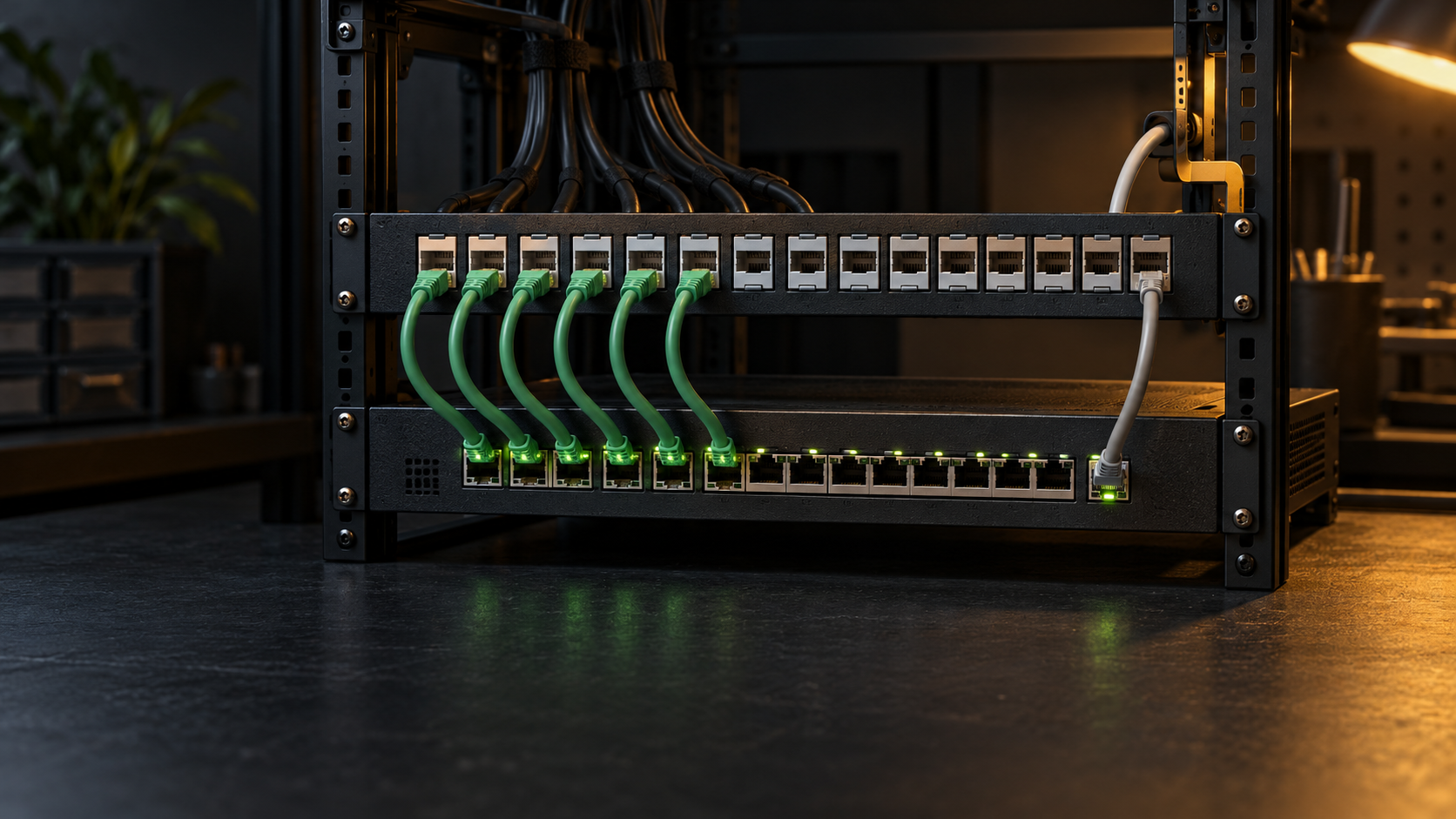
A home lab does not need a patch panel merely because it has a rack. Direct switch connections are often reasonable when every cable stays inside one small rack, the layout rarely changes, and each device already uses a finished patch cord. A patch panel becomes useful when fixed cables arrive from rooms, cameras, access points, or other parts of the building and you want a stable termination point.
The choice is mainly about cable roles, maintenance, and documentation. A correctly specified patch panel should not make Ethernet faster. It adds connection points, rack space, short patch cords, and installation work in exchange for a cleaner boundary between permanent cabling and active equipment.
Separate permanent runs from equipment cords
Start by listing every cable that will reach the switch. Mark each one as a permanent run, a movable equipment cord, or an uplink. A cable installed through a wall, ceiling, conduit, or long tray is a permanent run. A short factory-made lead may connect a server, console, or nearby appliance. That is an equipment cord. An uplink may be copper or fiber. It should follow the requirements of the connected devices.
Structured cabling uses fixed connection points and standard interfaces so equipment can change without replacing the installed cable. CommScope describes this separation as part of the organized approach used for moves and maintenance. In a home lab, the same idea can be useful on a smaller scale: the room run ends at a labeled passive port, while a replaceable patch cord reaches the switch.
If all six devices sit on one shelf and their finished cords reach one switch, direct connections avoid extra hardware. If twelve solid-conductor runs arrive from elsewhere in the house, landing those runs on a patch panel gives them a fixed termination and keeps their service loops behind the rack.
Understand what a patch panel changes
A passive copper patch panel does not assign addresses or negotiate link speed. It does not provide Power over Ethernet or manage traffic. The switch still performs those functions. The panel presents terminated cable pairs at front-facing jacks. Short patch cords complete the channel to switch ports.
A standards-rated panel can be part of a compliant channel. Leviton’s Cat 6 panel specification says its connecting hardware is designed for ANSI/TIA-568.2-D Category 6 channel and component performance. That does not mean any panel preserves any cable rating. The installed cable, jacks, panel, patch cords, termination quality, and allowed topology all matter, and the lowest-performing component can limit the channel.
Direct-to-switch cabling removes the panel and one patch cord from the rack. It is simpler and uses no rack unit. It can also place long fixed cables at the switch face, where equipment replacement and port changes may require moving those runs. Do not choose between the two layouts by counting connectors alone. Choose a supported channel design and terminate it correctly.
Use direct switch connections for a small stable rack
Direct connections fit a compact setup when the cables are already flexible patch cords and the devices remain close to the switch. You should be able to reach every port without disturbing other equipment. Four or eight local devices in an open rack often meet those conditions. Keep a label at both ends. Route each cord without blocking intake or exhaust, and leave enough slack for service without creating coils over the switch.
Direct connections also avoid buying a 24-port panel for a rack with only a few local cords. That is a valid result. A small unmanaged switch on a shelf does not become easier to maintain merely because its six cords pass through another row of jacks.
Be more cautious when a long installed cable ends in a field-installed plug and connects directly to a device. Fluke Networks explains that the modular plug terminated link model exists for limited cases such as access points and cameras where an outlet is impractical. For ordinary horizontal installations, it identifies a permanent link from patch panel to outlet or a complete channel as the normal test model. A home rack is not an excuse to treat every solid cable as a homemade patch cord.
Use a patch panel for fixed runs and frequent changes
A patch panel is usually the better boundary when cables leave the rack, when switch ports change often, or when you expect to replace the switch without reworking installed cable. The permanent runs stay secured and labeled at the rear. Short cords at the front handle moves, additions, and switch replacement.
This layout also makes a port map easier to read. A label such as Office-2 or AP-Upstairs can remain associated with the installed run even if its switch port changes. Record the panel port, destination, cable category, switch port, VLAN purpose, and Power over Ethernet requirement in the same home lab documentation you use for device addresses and recovery notes.
The tradeoff is real. The panel occupies space, every active run needs a patch cord, and poor routing can create a dense curtain over the switch. CommScope recommends using the shortest suitable route through cable management, avoiding both tight cords that pull on connectors and excess slack that obstructs work. A patch panel helps only when its labels and cords remain maintained.
Choose the panel format before buying parts
Decide first between a fixed punchdown panel and a modular keystone patch panel. A fixed panel places its insulation-displacement contacts directly on the panel. It can be compact and consistent, but a damaged port or a change in connector type may require more work. A keystone panel accepts individual jacks, which makes partial population, single-port replacement, and mixed connector types easier. It also adds more separate parts to select and install.
Count current permanent runs, then add only credible growth. A 12-port wall bracket or compact panel may fit a small lab better than a fully populated 48-port panel. Confirm the rack width, mounting-hole arrangement, rack unit requirement, front-door clearance, rear working depth, and room for a cable-management bar. If the rack itself is still undecided, measure it with the home lab rack-size guide before choosing a panel.
Check whether the product includes jacks or is only an empty frame. Confirm that the panel, jacks, and cable support the same category rating and conductor range. For a punchdown design, verify that its color card supports the selected T568A/T568B wiring scheme. Use one scheme consistently at both ends of each link.
Match category, PoE, and shielding requirements
Do not buy a panel based on the word Cat alone. Read the manufacturer’s component and channel specifications, supported wire gauge, conductor type, operating environment, and Power over Ethernet statement. Leviton’s current 110-style Cat 6 specification, for example, lists 26 to 22 AWG solid conductors, T568A and T568B wiring cards, rear cable management, and support claims for multiple IEEE 802.3 PoE types. Those details apply to that product family, not to every inexpensive panel returned by a marketplace search.
A shielded panel is not a general upgrade. Shielded cabling requires a planned bonding and grounding approach plus compatible shielded components. Mixing a shielded panel with unshielded jacks and cords does not create a shielded channel. For ordinary unshielded home cabling, an unshielded panel that matches the installed cable is usually the simpler choice.
Also verify the switch rather than assuming the panel provides a capability. The managed-switch guide covers port features and VLAN needs. For PoE, document the required standard and load at each endpoint, the switch’s per-port support, and its total power budget. The panel is one passive component in that path.
Plan rack position, labels, and cable support
Place the panel close enough to the switch that standard short patch cords can follow a relaxed path. The panel directly above or below a low-density switch is often workable. A horizontal manager may help between higher-density rows, but it costs another rack unit and can obstruct a shallow door. Test the proposed bend path with the door closed before drilling, punching down, or cutting cable.
Support fixed cables at the rear so their weight does not hang from the terminations. Leviton’s installation sheet calls for jacketed cable to reach close to the insulation-displacement contacts, sufficient flex room, maintained pair twist near each contact, and use of its rear cable-management assembly. Follow the instructions for the exact panel and jack rather than copying strip lengths or tool settings from another product.
Create the label plan before termination. Use the same identifier on the panel, far-end outlet, cable record, and switch map. Leave blank panel positions truly blank instead of assigning numbers to cables that do not exist. Photograph the rear routing while it is still visible.
Terminate and test without guessing
Plan a maintenance window if existing connections must move. Export the switch configuration, capture the current port map, label both ends, and define a rollback point. Disconnect power where the product instructions require it, and do not work on communications wiring during electrical storms or in wet locations.
Use the termination tool specified by the jack or panel maker. Preserve pair twist, keep the cable jacket near the termination, provide strain relief, and avoid crushing ties. After termination, inspect for misplaced conductors, excessive untwist, cut insulation, bridged contacts, and unsupported cable weight.
A basic continuity tester can find opens, shorts, reversals, and split-pair indications, but it does not certify category performance. Certification requires suitable calibrated test equipment and the correct permanent-link, channel, or modular plug terminated link adapters and limits. At minimum, verify every endpoint label, switch link, negotiated speed, VLAN assignment, and PoE operation before declaring the move complete.
Apply a purchase checklist
Before shopping, write down the panel style, open port count, category rating, conductor gauge and type, T568A/T568B scheme, shielding choice, PoE requirements, rack unit, mounting-hole type, rear depth, cable management, label plan, included jacks, and required tools. That list is more useful than a broad claim that one panel is future-proof.
This article contains affiliate links. As an Amazon Associate, LabGremlin earns from qualifying purchases.
If a modular panel fits the documented layout, this Amazon search for 24-port Cat 6 keystone patch panels is a starting point for comparison. Verify whether each result is an empty panel or includes jacks, then check rack fit, materials, grounding requirements, jack compatibility, category documentation, conductor support, rear strain relief, labeling, seller, warranty, and return terms. No specific result is endorsed here.
Choose direct switch connections when the rack is small, local, and stable. Choose a patch panel when fixed runs need a durable termination, readable administration, or frequent repatching. In either case, the finished work should have documented endpoints, supported components, relaxed cable paths, and test results that match the link model.
Sources
- Leviton Cat 6 UTP Flat 110-Style Patch Panels, product specifications
- Leviton Cat 6 Flat 110-Style Patch Panels, installation instructions
- CommScope Structured Cabling Systems: The Fact File
- CommScope Guide to Patch Cord Management Using Twisted Pair Infrastructure
- Fluke Networks Modular Plug Terminated Link Test Limits
Primary manufacturer documentation was reviewed October 15, 2026. This is documentation-based guidance. It does not claim that LabGremlin installed, tested, certified, or evaluated a specific patch panel, jack, cable, switch, tool, or marketplace product.