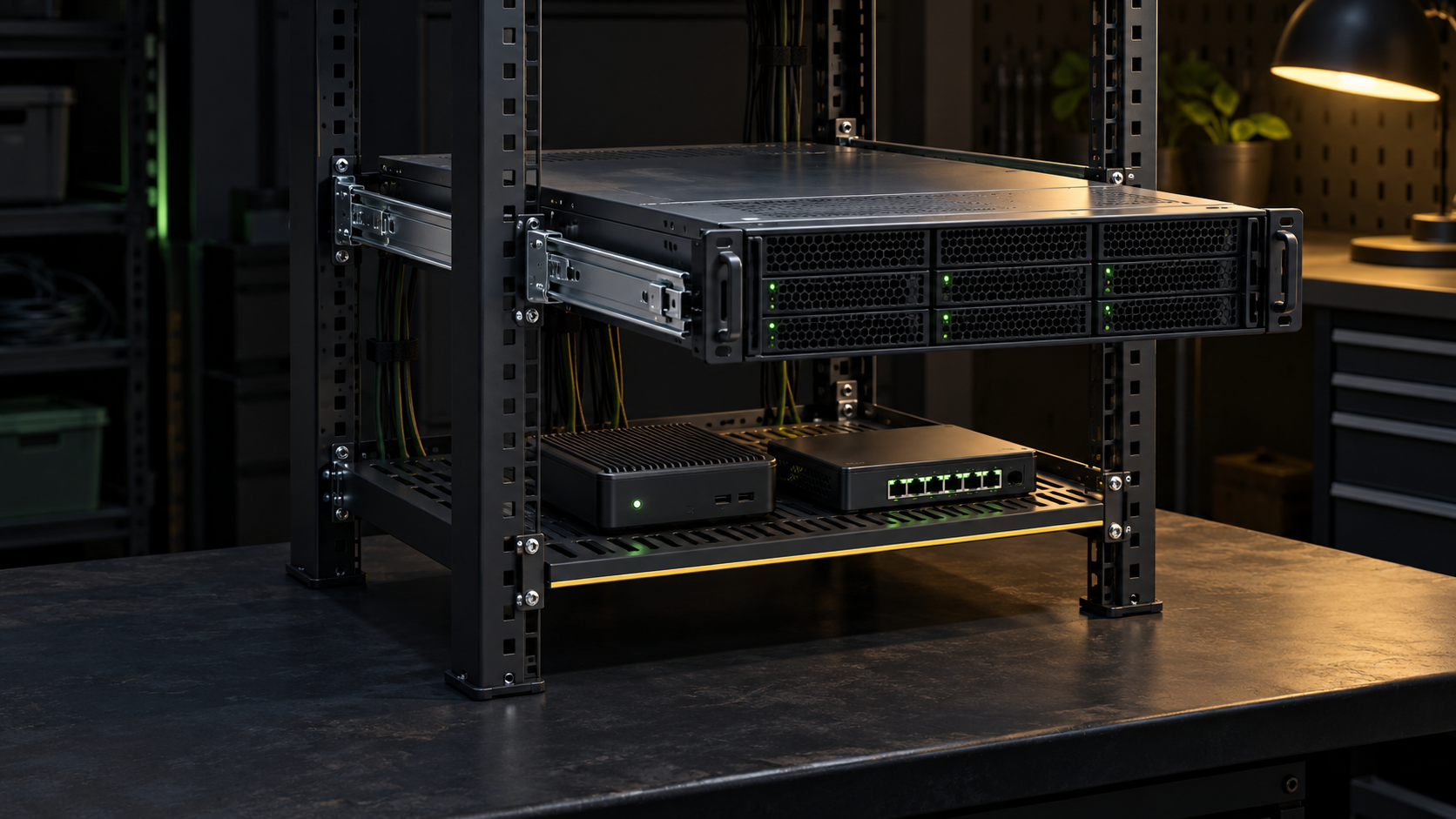
A rack shelf and a rail kit solve different support problems. A shelf gives non-rack equipment a flat, rated platform. Server rails attach to a specific chassis and transfer its load to the rack posts. The choice starts with the equipment manual and part number, not with the width printed in a marketplace listing.
Use the chassis maker’s supported rail kit when it exists, fits the rack, and provides the service access you need. Use a properly rated four-post shelf for a mini PC, modem, desktop NAS, external drive, or other device that was not designed for rails. A shelf can also be a cautious fallback for unusual hardware, but it does not turn that hardware into a sliding rack server.
Identify what is supposed to carry the load
Start with the installation or service manual for the exact model. Record the full model, chassis height in rack units, installed weight, supported rail-kit part number, and any required inner rails or shoulder studs already attached to the chassis. A used server may arrive with only the inner rail sections. Those pieces are not a complete kit, and an outer rail from a visually similar server is not evidence of compatibility.
Rack ears deserve the same caution. On some light switches and appliances, the manufacturer-approved brackets are the mounting system. On a server designed for side rails, the front ears align and retain the chassis after the rails support it. Do not infer their load role from appearance. Follow the product’s rack installation procedure.
Dell’s current PowerEdge rail overview separates static rails from sliding rails and directs owners to model-specific installation documents and a compatibility matrix. That is a useful pattern for any brand: treat the hardware manual as the authority, then verify the exact kit against the exact rack.
Choose rails for a rack server that needs direct support
Rails are the normal choice when the chassis has a supported rail interface. Static rails hold the server in its installed position. Sliding rails let a compatible server extend from the rack for access to internal components. Dell also notes that static rails can fit a wider range of rack arrangements on some systems, while sliding rails may support a cable management arm and in-rack service.
Those features are not universal. A current Cisco UCS C220 installation guide specifies its own slide-rail kit, a 24 to 36 inch adjustment range, and added rear space for the optional cable management arm. A different server or rail generation can use different dimensions, attachment points, and load limits. Search by the manufacturer’s rail part number after confirming it in the manual or compatibility tool. Searching only for “1U universal rails” removes the most important fit information.
Sliding rails are useful when drives, memory, fans, risers, or internal cables require top-cover access. Static rails can make sense when the server is rarely opened or when rack depth and rear clearance rule out the sliding kit. Before choosing either, decide whether maintenance will require removing the server, disconnecting cables, or supporting an extended chassis.
Choose a shelf for equipment without a rail interface
A shelf is appropriate when the device was meant for a desk, floor, or wall rather than a server chassis. Common examples include mini PCs, small NAS units, modems, external backup drives, compact KVMs, and network appliances whose supplied ears do not match the rack. The shelf must support the device’s complete footprint and installed weight, including power bricks or attached accessories placed on it.
Prefer a four-post shelf for heavy or deep equipment. It transfers load to both the front and rear posts and resists the leverage created by a device that extends far behind the front rail. A cantilever shelf attached only at the front has a different and often much lower rating. It may be suitable for a light, shallow device when its documentation says so, but its capacity must not be borrowed from a four-post model.
Published shelf specifications show why the exact model matters. StarTech’s ADJSHELFV-RACK is a 1U four-post vented shelf with a stated 28 to 34.4 inch mounting-depth range, 17.1 by 27.5 inch usable area, and 150 pound capacity. APC’s AR8125 is also 1U but lists an 18 to 25 inch mounting range and a 250 pound rating. These are examples of different envelopes, not recommendations to apply either rating to an unverified shelf.
Measure the rack before ordering either system
“19-inch rack” does not answer every fit question. It describes the equipment mounting format, not the distance between the front and rear posts or the clear space behind the chassis. The earlier home lab rack size guide covers enclosure depth and placement. For this purchase, record these dimensions in millimeters or inches and do not mix them:
- Distance between the front and rear mounting-flange faces.
- Usable internal depth from the front rail to the rear door or wall.
- Post-hole type: square, unthreaded round, or threaded.
- Clearance around rear PDUs, vertical cable managers, fan trays, and door frames.
- Required chassis depth plus power-plug and network-cable bend space.
- Open rack units and the exact hole boundaries for the selected U position.
Dell’s rail documentation calls out front-to-rear flange spacing, rack depth, and rear equipment such as PDUs as selection factors. Cisco’s current C220 guide likewise specifies accepted post-hole types and separate dimensions for the rail range and cable management arm. A rail can match the server and still fail to fit the rack.
Compare service access, cabling, cooling, and retention
Sliding rails make top-cover work easier, but the extended server changes the rack’s balance and pulls on every attached cable. Confirm whether the approved rail supports a cable management arm or strain-relief arrangement, and whether the rack has enough rear depth for it. If you omit the arm, leave controlled slack so cables do not unplug, kink, or enter a fan when the chassis moves.
A shelf changes airflow and device retention. Choose a vented surface when the device draws air through its underside, but do not assume perforations fix blocked side or rear intakes. Keep exhaust paths clear. Secure equipment against accidental movement using a manufacturer-approved bracket, shelf lip, or suitable nonconductive restraint without covering vents. Do not stack one device on another unless its documentation permits that load.
Plan service around the least convenient action. If a fixed shelf holds a deep device beneath another appliance, can you reach its power button, replace a drive, and unplug every rear cable? If a static-railed server must leave the rack for memory service, is there a safe landing surface and enough cable labeling to reconnect it correctly? Add the answers to the home lab documentation.
Install heavy equipment without creating a tip hazard
Place heavy equipment low in the rack, install the rack’s stabilizers or anchors, and follow its total weight limit. Dell’s rack safety guidance says to load enclosures from the bottom upward, deploy the anti-tip bar, and use at least two people for an enclosure above 22.5 kg or 50 pounds. The product manual may require more help or a lift at a lower or higher threshold, so use the stricter instruction.
Install an empty shelf or outer rail set first. Verify that both sides occupy the same rack-unit holes and are level before adding equipment. Use the specified cage nuts, screws, washers, and torque. Do not combine spare fasteners merely because the thread starts. For sliding rails, extend and retract the empty mechanism, confirm every latch, then install the chassis using the documented number of people.
Only one sliding chassis should be extended at a time. Never use an extended server or a rack-mounted device as a work shelf. Schedule disruptive mounting work through the home lab maintenance-window checklist so shutdown, cable labels, rollback, and verification are prepared before the rack is opened.
Use a short decision sequence
- Does the exact chassis have a supported rail kit? If yes, verify its part number, rack interface, depth range, load support, and service features. Prefer that kit for a rack server.
- Is the device non-rack equipment? Select a shelf from its installed weight, footprint, airflow, retention needs, and the rack’s post spacing.
- Does the load require rear support? Use a compatible four-post shelf for heavy or deep equipment unless the manufacturer’s approved system says otherwise.
- Will the device be serviced in place? Confirm extension space, rack stability, cable travel, top-cover clearance, and the manual’s lifting procedure.
- Are fit details missing? Stop before purchase. Measure again and locate the equipment and rack documentation.
A shelf is not a universal substitute for missing rails. Rails are not universal because two servers share a rack-unit height. The support system is correct only when the equipment interface, rack geometry, load rating, and service method agree.
Treat used rail parts as an incomplete kit until proven otherwise
A used server can arrive with short metal sections still attached to its sides. Those inner members are only part of a sliding assembly. Compare every piece with the model’s installation guide and parts list. Confirm that left and right outer rails, inner members, release latches, rear brackets, adapters, stop screws, and required fasteners are present. Mixed generations can look convincing until the latch, chassis studs, or rack-post connector fails to align.
Photograph the installed chassis hardware and record each visible part number before shopping. Ask a seller for photographs of both rail ends and every included component. Surface rust, bent channels, missing ball-bearing cages, damaged release tabs, or rails that do not move evenly are reasons to stop. Do not grind, drill, or force a mismatched kit into service. Replacement support hardware should restore the manufacturer’s attachment method rather than create a new one.
Shop only after the measurements are recorded
For rails, use the server manufacturer, exact model, and confirmed kit part number. Used listings should show every required inner and outer section, latch, bracket, and fastener. A complete-looking pair with the wrong generation can stop short of the rack posts or fail to attach to the chassis.
For a shelf, filter by four-post construction, front-to-rear adjustment range, usable surface depth and width, verified load rating, ventilation, and included mounting hardware. Then compare those specifications with the measurements above.
This article contains affiliate links. As an Amazon Associate, LabGremlin earns from qualifying purchases.
Compare adjustable four-post server rack shelves on Amazon. Search results are a discovery path, not a compatibility list. Verify the shelf maker’s current specifications, seller, return terms, mounting-depth range, usable area, load rating, and hardware before ordering.
Sources
- Dell PowerEdge rack rail types and installation resources
- Dell Precision 7920 Rack rail compatibility factors
- Cisco UCS C220 M6 server rack and slide-rail requirements
- StarTech ADJSHELFV-RACK data sheet
- APC AR8125 adjustable shelf specifications
- Dell rack system safety guidance
Primary manufacturer documentation was reviewed October 9, 2026. Specifications quoted here belong to the named examples and must not be transferred to another rail or shelf. This is documentation-based guidance. It does not claim that LabGremlin installed, load-tested, or compatibility-tested any rack hardware.